
evento
MIS HOLDING GROUPEvents
0.00.00 Reviews
- Version
- 1.2.6
- Installs
- 10.00K
- Age Rating
- Everyone
Screenshots
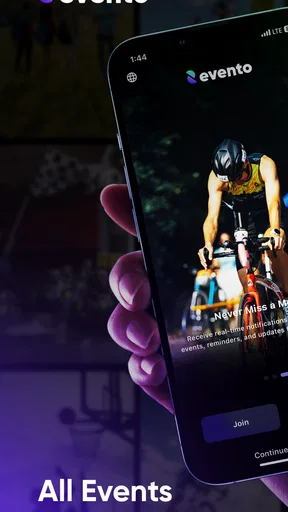
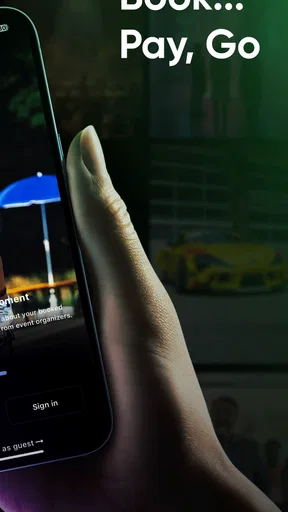




Our Review of evento
 Analysis by Appyee
Planning an event is rarely difficult because of one big task. The trouble usually comes from small details: deciding what the event is, keeping the plan easy to revisit, and making sure the information remains manageable when life gets busy. Evento approaches that problem as a free event-planning app from MIS HOLDING GROUP. I found its appeal less in grand promises and more in the simple idea of keeping event work in one place instead of scattering it across notes, messages, and calendar entries.
That makes it worth considering for people who want a lightweight way to organize occasions on an Android device. It is listed for Everyone and runs on Android 6.0 or later, so the technical entry point is broad. The app was released on December 26, 2024, and its current version is 1.2.6. With over ten thousand installs, it is still a relatively small app rather than a familiar household name, but that can suit users who prefer a focused tool over an overloaded planning platform.
How Evento feels when you are trying to plan
I find the most useful way to judge Evento is to focus on its central idea: giving an occasion a dedicated place to be booked and managed. That can make a difference when plans evolve over several days, because the event stays distinct from the conversations and loose notes around it. I’ll look at how that event-first approach can shape a practical routine, and where a calendar or shared workspace may still fit better.
Readability and navigation in everyday planning
My first test for an event app is whether I can understand what to do without studying it. Evento presents itself as an event organizer rather than a social network, ticket marketplace, or broad productivity suite. That narrow purpose is helpful. When I open an app to arrange a birthday, meeting, appointment, or community activity, I want the planning task to stay in front of me instead of being buried under unrelated content.
The most useful way to approach it is to treat each event as a small project. I would begin by creating the event, entering the essential details, and then returning to it as plans change. This workflow is more approachable than maintaining a long free-form note because an event has a clear identity and a reason to revisit it. For someone who thinks better in separate, named items, that structure can make a busy week feel less scattered.
There is also a readability benefit in separating events from general reminders. A note such as “call venue, bring cables, check guests” can quickly become confusing when it sits beside shopping lists and unrelated tasks. An event-centered app encourages me to look at the occasion first and its planning details second. That is a small distinction, but it matters when I am checking information in a hurry.
I would still recommend entering only the information that will help during the event. Overloading one record with every possible thought can make any organizer harder to scan. My practical approach would be to keep the title immediately recognizable, use consistent wording, and put the most time-sensitive details where I can find them quickly. This is especially useful for people with attention difficulties, because a short, predictable event record creates fewer decisions each time it is opened.
Evento is also a reasonable fit for someone who dislikes complicated dashboards. Many established planning services combine calendars, invitations, chat, ticketing, payments, guest management, and collaboration. Those tools can be powerful, but they also create more screens and more choices. If all I need is a straightforward place to book and manage events, the smaller scope feels less intimidating.
The trade-off is that a focused app may not replace every tool already in your routine. I would not assume that an event organizer automatically covers the full range of a calendar, a team workspace, or a communication service. If your planning depends on several people editing the same schedule, sharing files, or tracking attendance in detail, you should test whether the app matches that workflow before making it your only planning system.
Motor and sensory considerations
For users with motor limitations, the value of a simple planning flow is that it can reduce repeated navigation. A person arranging an event from a phone may already be dealing with crowded surroundings, limited hand movement, or fatigue. Fewer unrelated functions can mean fewer taps and less searching. I would use Evento by preparing the basic event details in one sitting, then making small updates rather than repeatedly rebuilding the same plan.
That approach also helps users who experience hand strain. Instead of treating the app as a place to write a full project brief, I would keep entries concise and deliberate. Short labels are easier to review and less demanding to edit than long blocks of text. If typing is difficult, preparing the wording elsewhere and pasting it into the event may be more comfortable than composing everything on a small screen.
Sensory needs deserve a more cautious assessment. An app can be functionally simple while still being tiring if its text, contrast, spacing, or visual hierarchy do not suit a particular person. I would check the interface at the phone’s normal display settings and then with the device’s own text-size and display adjustments. That is a useful personal test because comfort depends on the screen, operating system settings, lighting, and eyesight of each user.
People who are sensitive to clutter may appreciate the event-first concept. A dedicated event record is easier to mentally separate from unrelated tasks than a crowded feed. On the other hand, anyone who relies on very large text, strong contrast, screen magnification, or assistive input should spend time checking how comfortably the app responds on their own device. I would avoid promising a particular accessibility experience without that hands-on check.
For users with cognitive disabilities, predictable routines can make a planning tool more useful. I would create events using the same naming pattern each time, such as the occasion followed by the location or purpose, and review them at a fixed moment each day. This is not a special feature; it is a way to make the app’s organization work harder for the user. The benefit comes from consistency, not from adding more information.
People with hearing-related access needs may also prefer written event details that do not depend on remembering spoken instructions. I would record the practical information that matters, such as what the event is for and what needs to happen next, rather than relying on a conversation or a separate message thread. That makes the plan easier to revisit silently and gives everyone a shared written reference when the event is being arranged.
Using it in different situations
A realistic example is a family gathering that starts as a vague idea on Monday and becomes a firm plan by Friday. I might create the event as soon as the date is discussed, add the basic purpose, and return to it after the location is settled. On the day itself, I would use the event record as a quick memory aid instead of scrolling through an old conversation to reconstruct the plan. That is where a dedicated organizer earns its place: not by replacing every communication tool, but by giving the occasion a stable home.
For a small volunteer group, the app could be useful when one person is responsible for keeping several activities organized. A sensible workflow would be to create one event per activity, use clear names, and review the list before sending updates elsewhere. This reduces the chance of confusing two similar occasions. The limitation is that the app should not be treated as a substitute for group communication unless the people involved already have a separate way to coordinate.
Students and independent workers may find it helpful for separating personal and work-related occasions without mixing them into one long note. I would use it for a presentation, a study session, a client meeting, or a local appointment, then keep the event wording short enough to scan between other commitments. Its free price removes a financial barrier for someone who wants to try this approach without committing to a subscription.
It can also suit users who plan in bursts. Some people do not want to maintain a detailed productivity system every day; they only need a place to capture an event when it becomes real. Evento’s concept is compatible with that lighter habit. I can create an event when needed, revisit it when a detail changes, and avoid turning ordinary planning into a full-time administrative task.
Situational access is important too. A person may be planning while commuting, standing in a queue, sharing a room, or working with only one hand available. In those moments, a focused event app is more practical than a desktop-style planning system with many panels. I would prepare the important information before the stressful moment, though. Entering a long set of details on a moving bus or in poor lighting is still uncomfortable regardless of the app.
For older Android phones, the stated minimum of Android 6.0 makes the app potentially relevant to people who have not upgraded recently. That does not guarantee identical performance on every device, so I would judge the experience on the actual phone being used. Someone with an older handset may benefit from a smaller, focused app, but should still leave enough storage and keep the operating system in a stable condition.
Where the usual alternatives may be better
The closest alternative for many people is the phone’s built-in calendar. A calendar is usually the better choice when the main need is recurring scheduling, reminders, time blocking, or integration with an existing daily routine. If my life already revolves around calendar notifications and synchronized appointments, adding another event tool could create duplication rather than clarity.
A notes app is better when the event is really a flexible collection of research, links, images, or long instructions. Notes provide room for messy thinking, while an event planner encourages a more defined record. I would use Evento once the occasion has taken shape, but keep brainstorming and reference material in a notes tool if the planning process is still wide open.
Messaging groups are stronger when the central problem is getting decisions from several people. They allow conversation, quick reactions, and informal updates. Their weakness is that important information can disappear into a stream of messages. My preferred combination would be to discuss changes in the group and keep the final event details in one organized record. That division gives communication and reference material different jobs.
Full project-management apps are more appropriate for complex events with assigned responsibilities, dependencies, files, budgets, and progress tracking. They are also more demanding to learn. Evento makes more sense when the event itself is the unit I need to manage, not a large production with many moving parts. Choosing the smaller tool is sensible only if its simplicity matches the size of the plan.
Remaining barriers before making it your main planner
The biggest practical risk is expecting a compact event app to solve coordination by itself. Planning is not only about storing an occasion; it is also about communicating changes, confirming people, and remembering deadlines. I would keep a clear boundary between what Evento is responsible for and what another tool handles. That prevents the common mistake of assuming that one app will automatically keep an entire group aligned.
There is also a learning curve, even with a simple product. The first few events may require deciding how much information belongs in each record and how names should be written. I would create a low-stakes test event before moving an important appointment into the app. That trial helps reveal whether the navigation feels comfortable, whether the text is easy to read, and whether the workflow fits the way I naturally plan.
People with strong accessibility requirements should make the same test more deliberate. Try the app with the phone’s preferred text size, display settings, screen reader or switch setup if relevant, and any input method used daily. A product can be useful in principle but still unsuitable if a particular control is difficult to reach or a page is tiring to interpret. Personal testing is more reliable than assuming that an Everyone age label describes every access need.
I would also avoid creating duplicate versions of the same event in multiple places without a clear rule. If I put one date in Evento, another in a calendar, and a third in a message thread, changes can become confusing. My solution would be to choose one source of truth for the final details and use the others only for reminders or discussion. This is one of the most important workflow decisions for getting value from a simple organizer.
The app’s current version, 1.2.6, suggests an actively identified release line, but I would still keep my expectations realistic. Smaller apps can be appealing because they feel direct, yet they may not offer the breadth of mature planning ecosystems. That is not automatically a flaw. It becomes a problem only when the user needs advanced collaboration, extensive integrations, or a highly specialized accessibility setup.
My inclusive verdict
I see Evento as a sensible starting point for people who want a free, focused way to book and manage events on Android. Its strongest quality is the chance to give each occasion a clear place, which can reduce the mental load of searching through notes, chats, and scattered reminders. It is especially appealing to casual planners, families, students, independent workers, and small groups that need organization without a large project-management system.
Its inclusive value comes from that simplicity, but simplicity should not be confused with universal suitability. Users who need detailed collaboration, sophisticated calendar behavior, extensive records, or a carefully tested assistive-technology experience may be better served by a more established alternative. I would also skip it as a primary planner if my existing calendar already handles every event need without friction.
For everyone else, I would begin with one ordinary event rather than migrating an entire schedule. Create it, keep the wording concise, adjust the phone’s display settings for comfortable reading, and decide which other app will handle communication or reminders. That small experiment will show whether the workflow feels natural. If it does, Evento can become a calm, practical home for event planning rather than another complicated system to maintain.
Overall, I recommend giving it a try when your main goal is clear event organization with fewer distractions. The developer, MIS HOLDING GROUP, has positioned this app in a useful space between a loose notes page and a feature-heavy planning suite. It is free, rated for Everyone, and available for compatible Android devices, making the first step easy. Just choose it for its focused role, test how comfortably you can read and control it, and let a more specialized tool take over whenever your events become too complex for a simple organizer.
Verdict
Strengths of evento
- Centralizes event details, schedules, and updates in one place.
- Useful for discovering nearby events and activities.
- Event information can be accessed quickly from a mobile device.
- Helps users keep track of upcoming plans and appointments.
- Can make sharing event details with others more convenient.
Limitations of evento
- Event coverage may vary significantly by location.
- Some listings may become outdated if organizers do not update them.
- The app may require location access for its full functionality.
- Notifications can become distracting when many events are followed.
- Popular events may have limited availability or last-minute changes.
Similar Picks in This Category
View All
Easy Quran Mp3 Audio Offline
Muslim Worldapp4.7

Invitation Maker: Cards & RSVP
Greetings Island4.9

StubHub - Live Event Tickets
StubHub4.3

Fever: Events & Tickets
Fever Labs4.7

Epic Freebie Games Radar
Arioch Pds - Apps & Games4.4

Invitation card Maker, Design
Splendid App Maker4.9
Frequently Asked Questions
What is Evento and what can I use it for?
Evento is an event-focused app designed to help users discover, organize, and keep track of activities in one place. Depending on the events available in your area, you may be able to browse listings, view dates and locations, read descriptions, save interesting events, and share them with friends. It can be useful for finding entertainment, social gatherings, cultural activities, or other local experiences.
Is Evento free to download and use?
The app may be free to download, but some events or features can involve additional costs. For example, organizers may charge admission, require ticket purchases, or offer paid upgrades outside the basic app experience. Before confirming participation, carefully review the event details, pricing, refund conditions, and any service fees. Availability of free features may also vary by device, location, and account type.
Do I need to create an account to use Evento?
Some basic browsing functions may be available without registration, but an account could be required for features such as saving events, receiving reminders, purchasing tickets, registering for activities, or contacting organizers. Creating an account generally involves providing information such as an email address or social login details. Check the permissions and privacy settings before signing up, especially if you prefer to limit shared personal information.
Does Evento show events in my city or region?
Evento’s usefulness depends largely on the number of organizers and listings available in your location. The app may use your selected city, search preferences, or device location to present nearby activities. If results seem limited, try adjusting the location manually or expanding the search radius. Event availability, languages, ticket options, and organizer participation can differ considerably between cities and countries.
Is the information and ticket availability on Evento reliable?
Evento can make event discovery more convenient, but organizers are usually responsible for the accuracy of descriptions, schedules, prices, and availability. Details may change after an event is published, so check the listing and any confirmation messages before traveling. For important bookings, verify the venue’s official information as well. Also review cancellation, rescheduling, and refund policies because they may vary from one organizer to another.
